
Massive 500K+ library
Movies, web series, anime, live TV, Bollywood and Hollywood — aggregated from Netflix, Prime, Disney+, Hotstar and 50+ OTT platforms.
Free streaming of 500K+ movies, web series, anime and live TV — aggregated from Netflix, Prime, Disney+, Hotstar and 50+ OTT platforms. Native apps for Android, iOS, Smart TV and Firestick. Browser access on PC and Mac.
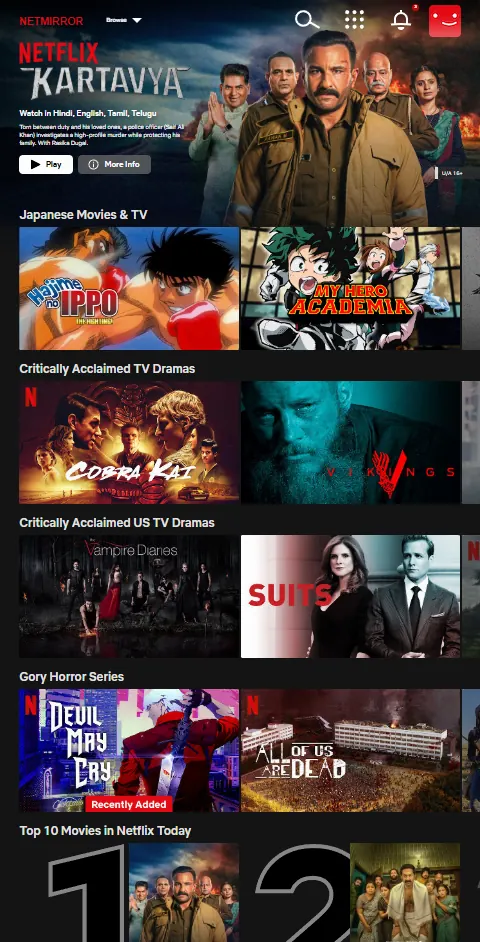
NetMirror is a free streaming application that pulls movies, web series, anime and live TV from 50+ OTT platforms — Netflix, Prime Video, Disney+ Hotstar, HBO Max, Apple TV+ and more — into a single, Netflix-style library. Instead of juggling five paid subscriptions, you open one app and browse everything in one feed.
The Android, Android TV and Firestick builds are native 49 MB APK files that install in under two minutes. iPhone and iPad users access the same library through a lightweight DODO Webview wrapper from the App Store, and PC/Mac users stream directly from any modern browser — no installation required. Whichever device you're on, the catalog and watch progress feel identical.
What sets NetMirror apart from a typical streaming app is multi-language audio on the same title. Watch a Marvel film and switch the audio between English, Hindi, Tamil and Telugu mid-playback. Pair that with up to 4K UHD playback, subtitles in 50+ languages and Chromecast support, and you get a premium streaming experience without the premium price.
NetMirror aggregates publicly-streamed catalogs from 46+ OTT services into one Netflix-style feed — unified search, single watchlist, one Continue Watching row across every source.
Originals
Amazon Originals
Disney · Marvel · Star
HBO Originals
Apple Originals
Sony · Set India
Anime simulcasts
Regional Indian
The aggregation list grows with every 2-3-week update. Recent additions: Sun NXT (Tamil), Hoichoi (Bengali), NHK World (Japanese), Tubi (US free-tier).
The latest NetMirror build adds a "All OTT in One Search" toggle. Type any movie or series name once, and instantly see which OTT section it lives in — Netflix, Prime Video, Disney+ Hotstar, and every other platform in your library.
A single search runs against Netflix, Prime, Hotstar, HBO Max and 46+ more OTTs at once. Results are grouped by source so you know exactly where to watch.
No more opening each OTT one-by-one to hunt a title. Spot the source in seconds, jump straight to that section.
Already on the latest app build. Open Search → flip "All OTT in One Search" ON. No reinstall, no setup.
Heads up: search shows you where a title is available. To actually watch, tap the result and open that OTT section. The search itself doesn't play titles — it's a discovery shortcut.
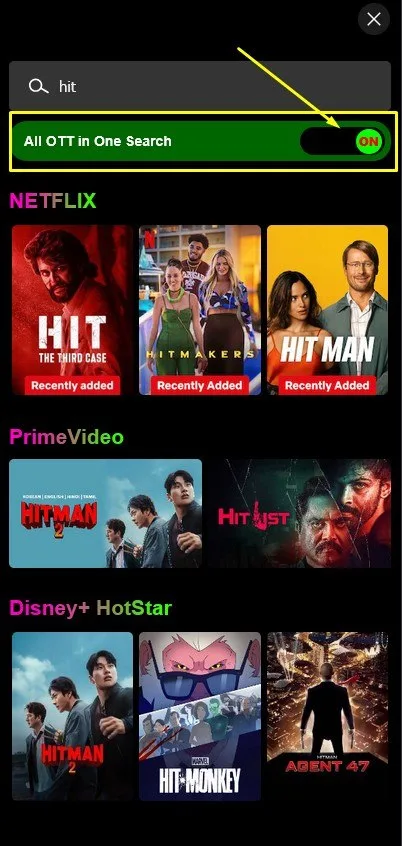
"hit" typed once · 8 matches across 3 OTTs
Actual NetMirror app screen · v6.1
Twelve standout features that make NetMirror feel premium — and every single one of them is free.
Movies, web series, anime, live TV, Bollywood and Hollywood — aggregated from Netflix, Prime, Disney+, Hotstar and 50+ OTT platforms.
Switch between English, Hindi, Tamil and Telugu audio on the same title — including Hollywood blockbusters and Netflix originals.
Custom-optimised streaming engine starts videos in 2-3 seconds and stays smooth even on slow 3G connections.
Crystal-clear video up to 4K Ultra HD with HDR10 and Dolby Vision support on capable devices. Adjustable quality presets.
Save movies and full series for offline viewing on flights, road trips or in low-data areas (Android & TV builds).
Every APK release scanned across 70+ antivirus engines. SHA-256 hash published with every version.
Native apps for Android, Android TV, Firestick. iPhone via DODO Webview. Browser access on PC and Mac.
Open the Android, TV or Firestick app and watch. No email, no phone number, no card. Web access on PC requires email only.
Honest funding model — just one short ad on first daily launch. Zero banner ads, zero mid-roll interruptions.
No behavioural tracking, no third-party analytics. Your watch history stays on your device.
Cast to your TV from any Android phone. AirPlay supported on iOS via DODO Webview. PC supports browser PiP.
Fresh app builds with new content sources, performance fixes and feature additions on a steady cadence.
From summer blockbusters to Saturday-morning cartoons. From Korean rom-coms to Tamil action thrillers. From live IPL replays to Sunday-night comedy specials. Whatever you reach for after dinner, NetMirror has a row for it.




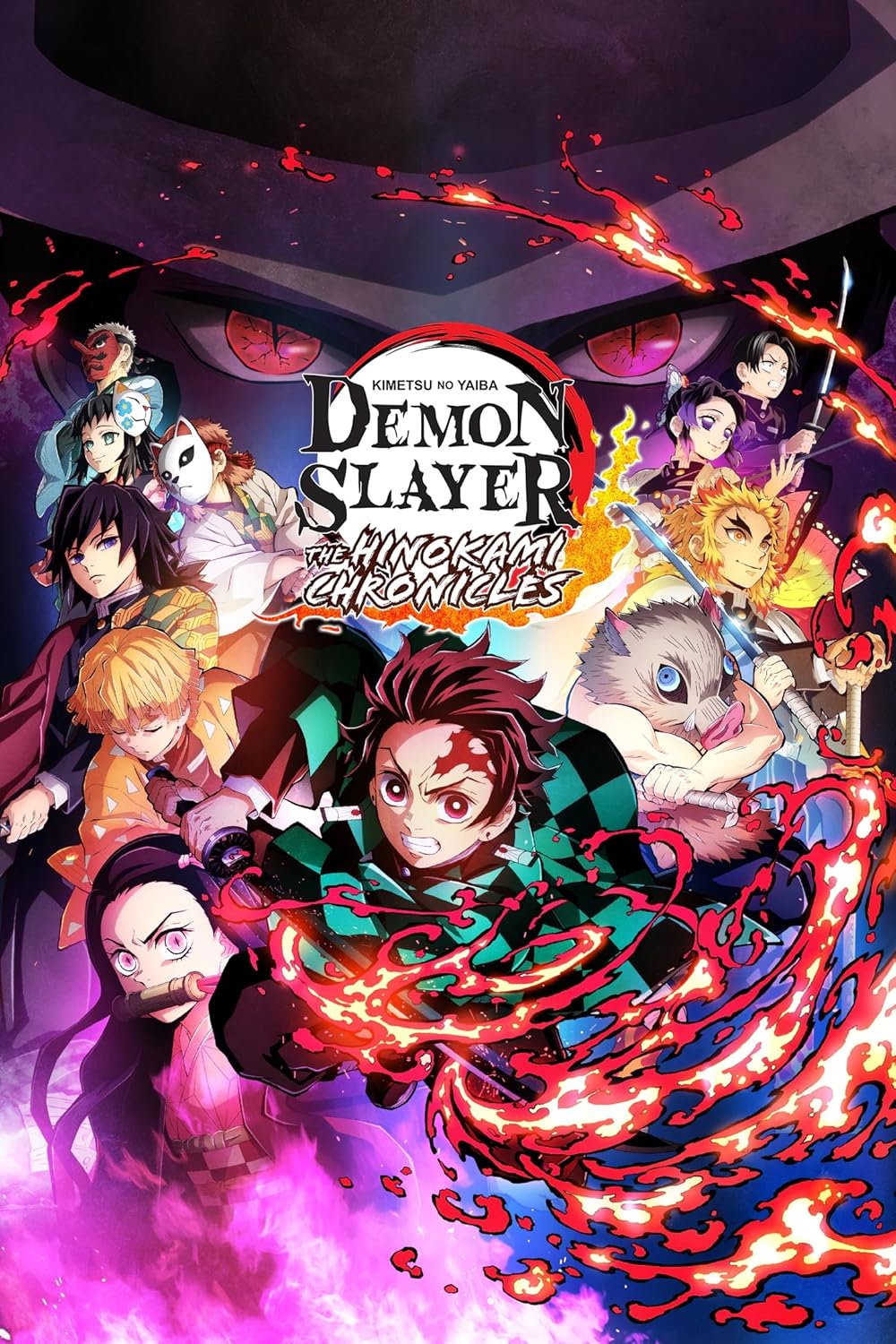
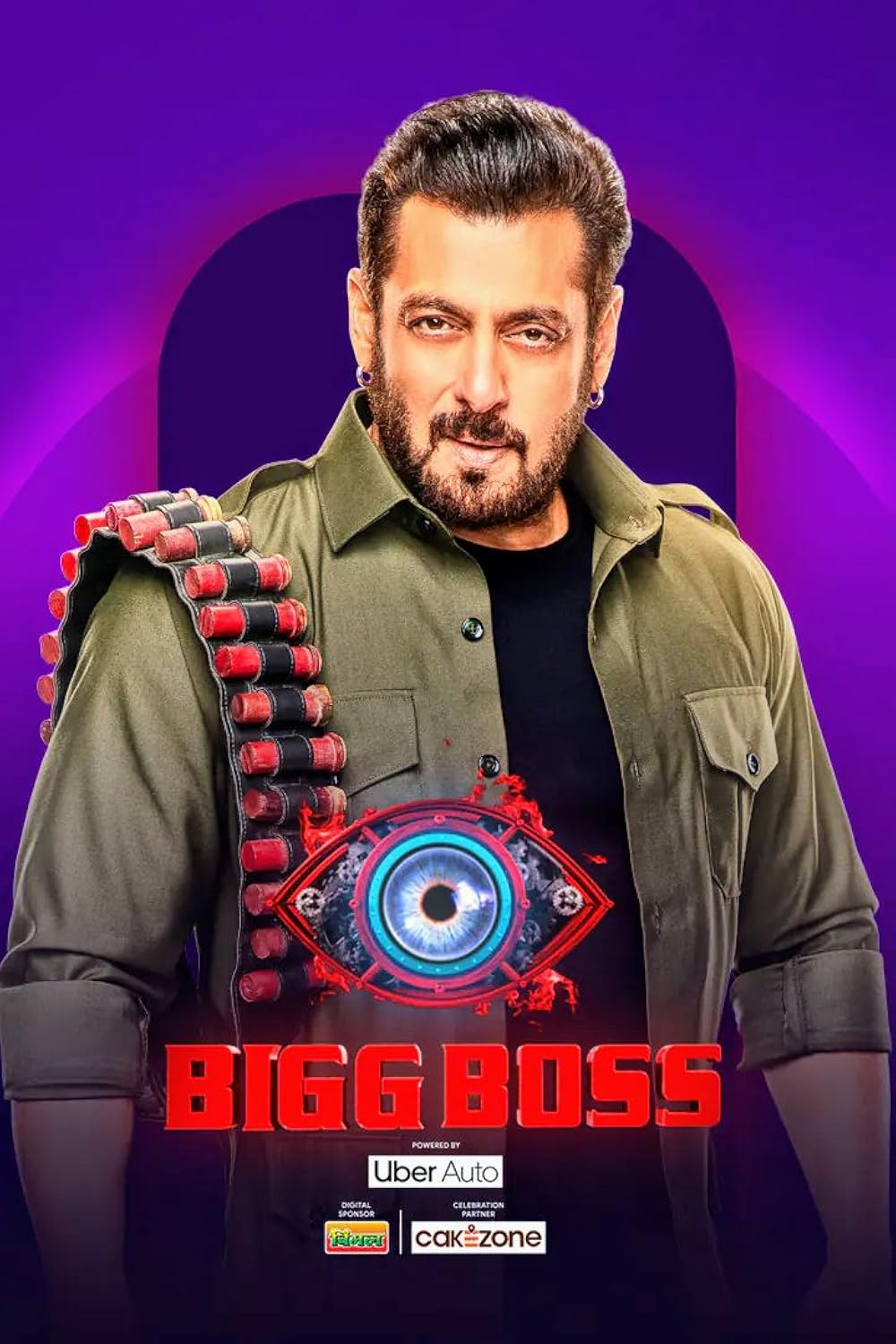

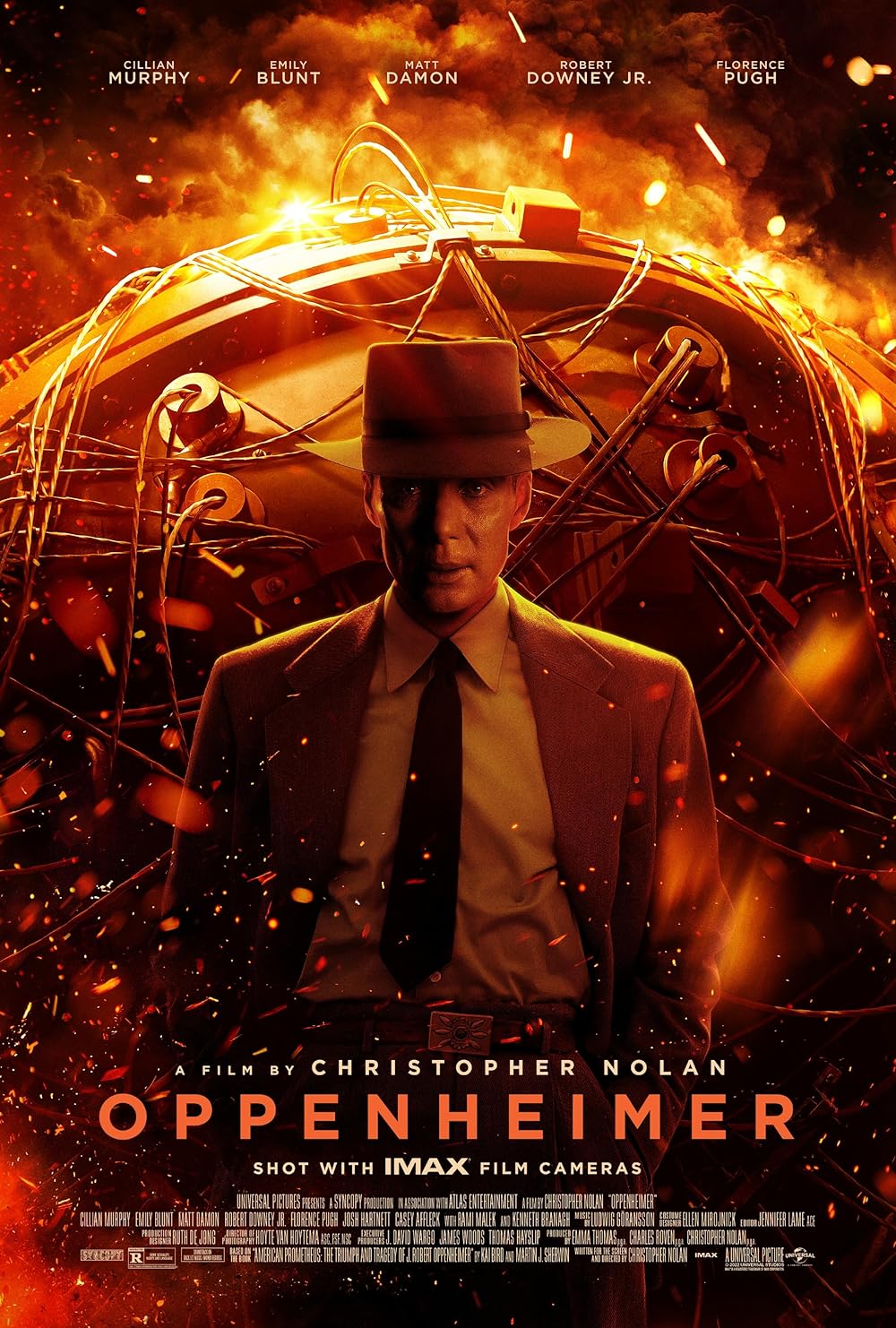 12K+ titles
 Dune Part Two · Oppenheimer · The Batman
8K+ titles Animal · Pathaan · 12th Fail
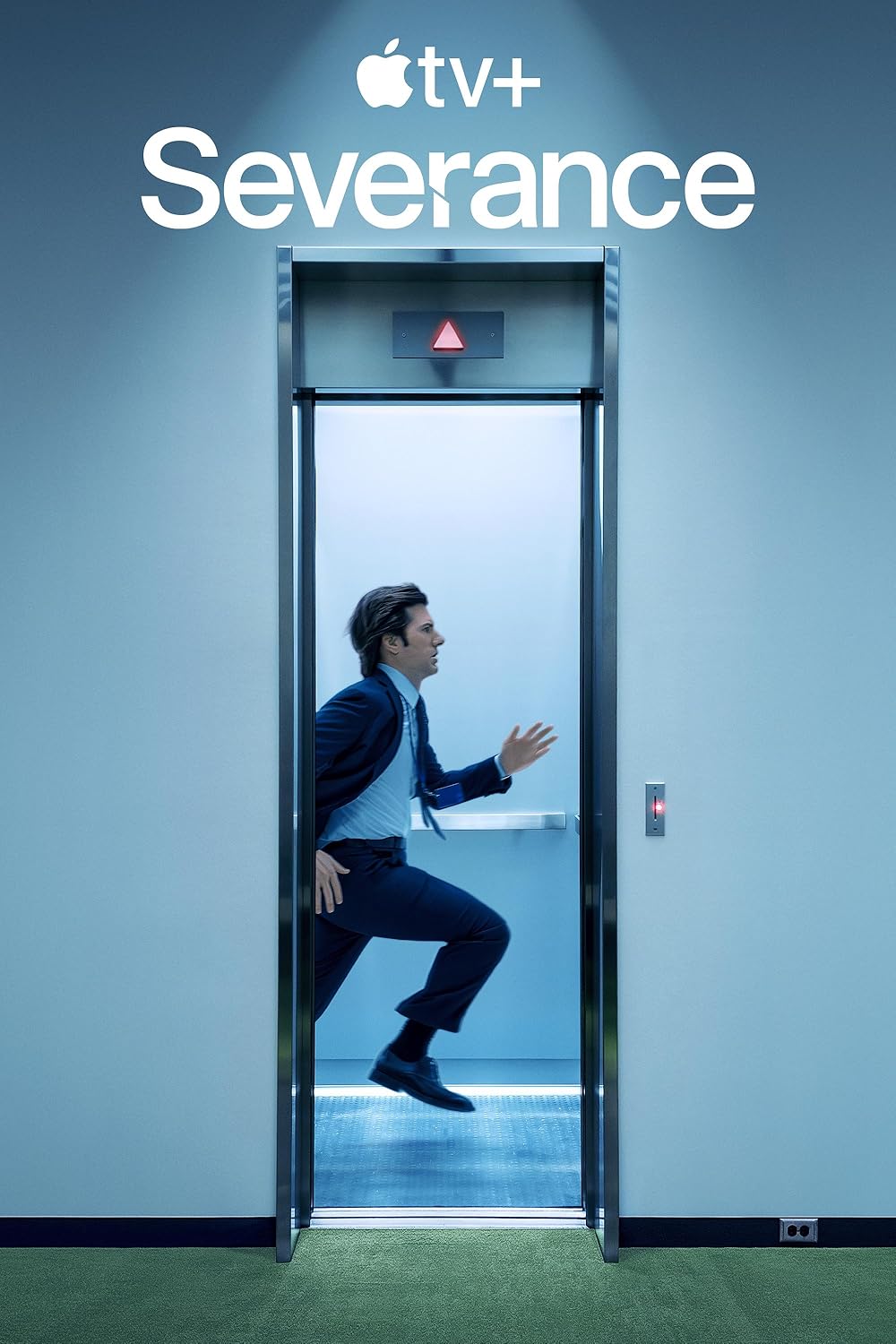
40K+ episodes Mirzapur · Rana Naidu · Severance
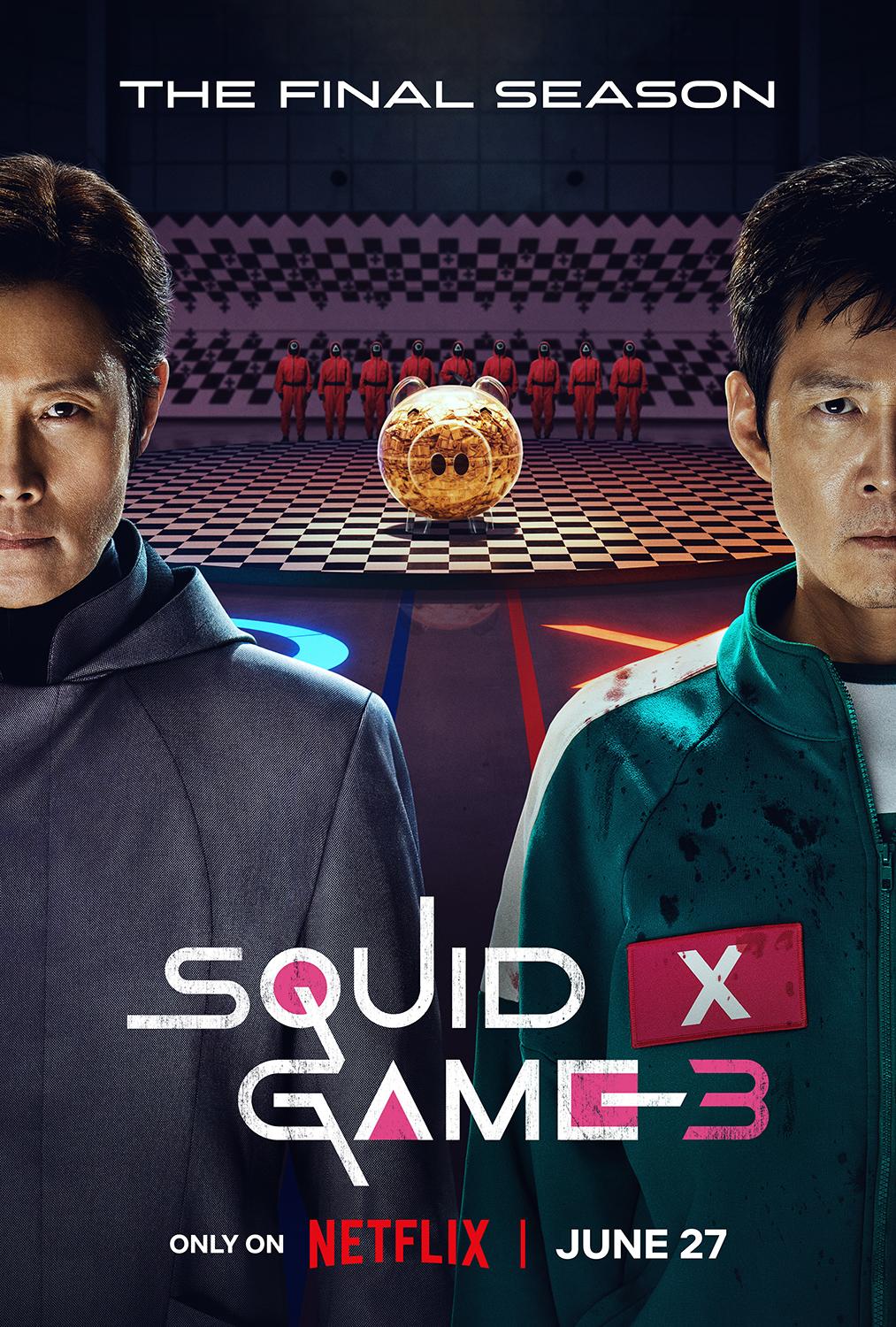
5K+ titles Squid Game · Goblin · Vincenzo
3K+ titles Demon Slayer · Solo Leveling · One Piece
 6K+ titles
 Planet Earth · Our Planet · The Last Dance
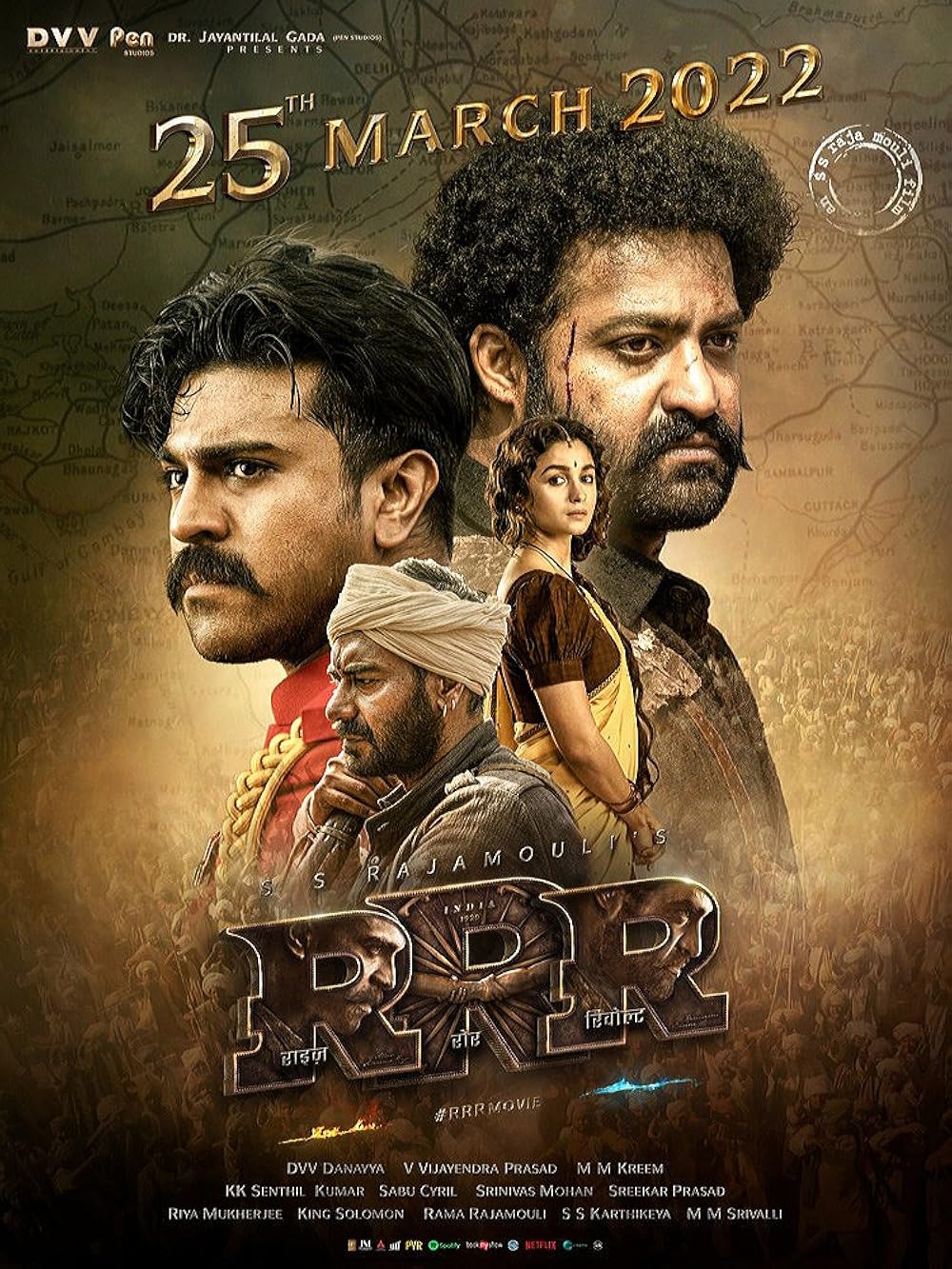 15K+ titles
 RRR (Tel) · Vikram (Tam) · KGF (Kan)
 4K+ titles
 Bluey · Moana · Doraemon
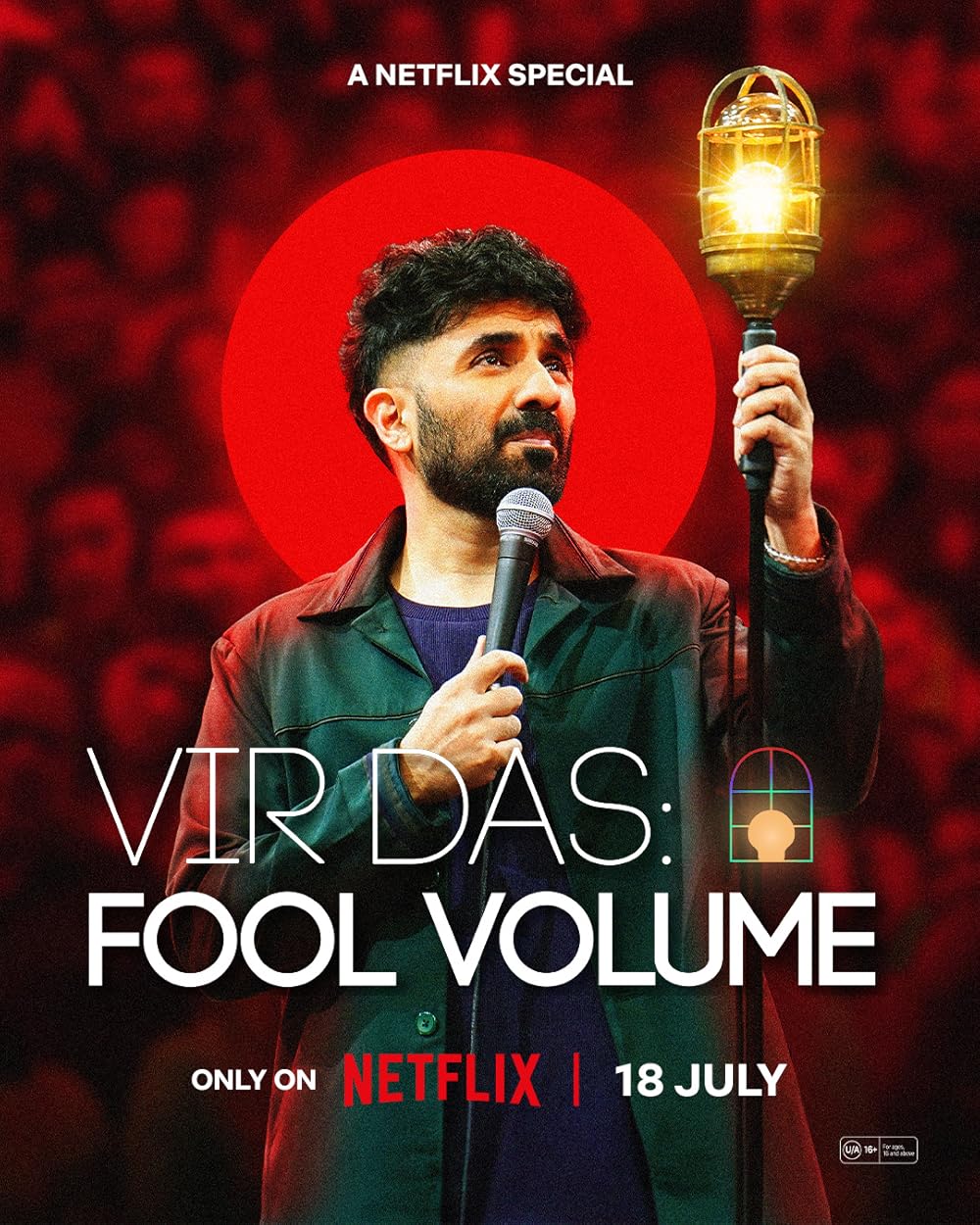 2K+ specials
 Vir Das · Zakir Khan · Trevor Noah
 3K+ titles
 Hereditary · Stree · Tumbbad
 200+ channels
 Star Sports · News18 · Aaj Tak
1K+ episodes Bigg Boss · MasterChef · Shark Tank
Catalog counts vary — new titles appear as soon as the source OTT publishes them. Browse the in-app "Trending Now" and "Recently Added" rows for the freshest content.
Most review sites publish a paragraph after ten minutes of clicking around. I didn't want to be one of them. So I committed to a proper 30-day daily-use trial — every session logged, every glitch noted, every win recorded. Below is the unedited diary, followed by the 14 months that came after.
Reviewer: site author · Devices: OnePlus 11, Redmi Note 8, Firestick 4K, Sony Bravia · Period: 30 consecutive days
One cell per day. Hover any cell to see the activity logged on that day.
Hotstar mirror buffered 8 seconds on a peak-time live stream — the first hiccup of the trial.
ISP block hit the browser URL. APK kept working. Fix took 6 minutes via the URL tracker page.
The only real failure. App was honest — showed "stream unavailable" instead of looping a fake feed.
One 4K title briefly buffered. Dropped to 1080p, smooth playback after that.
Spanish-dubbed film had a subtitle drift. Standard ±0.5s offset fix — solved in 30 seconds.
The 30-day test was just the start. NetMirror has been my primary streaming app for the 14 months since — across phone, laptop, Sony Bravia and a Firestick 4K Max on my parents' bedroom TV. Same library, every device, watch progress syncs. After 14 months, here are the honest, lived-in numbers.
After 30 days I had my answer: the wins outnumber the gripes by a wide margin, and the gripes are honest, not dealbreakers. Nothing else in this category comes close on catalog depth plus multi-language audio. That's when I committed to building this site — so you'd get the same honest, screenshot-backed walkthrough I wish I'd had on day one.
Eight situations where users move from a stack of paid subscriptions to NetMirror and never look back. See which one sounds like you.
Most users pay ₹4,000–₹5,000 a year combined across Netflix, Hotstar, Prime, SonyLIV and Zee5. With NetMirror, that entire stack collapses into one free app — same content, zero recurring cost.
Switch audio between English, Hindi, Tamil and Telugu mid-playback. Marvel and DC blockbusters fully dubbed; pair with English subs for tricky scenes. Rare even on paid Netflix India.
Save full seasons in 1080p to your phone or tablet before a flight. Play with no internet, no "session expired" mid-flight, no re-login when you land. Works on Android, TV and Firestick.
Parents watching Tamil serials, kids watching Marvel, you watching K-dramas — all in one app on one device. Multi-profile support keeps recommendations clean. Cast to the living-room TV in one tap.
No subscription means no monthly bill on a student stipend. Stream coursework documentaries, language films and binge-friendly comfort shows without burning hostel data on three different apps.
Watch the latest Hotstar Specials, Indian regional cinema and Bigg Boss without geoblocks. Pair with a VPN for privacy on free streaming. Works on any country's ISP, every device you own.
Korean dramas with English/Hindi dubs, Crunchyroll-tier anime catalog, Tamil/Telugu/Punjabi/Malayalam regional cinema all under one roof. No more juggling six niche apps just to find subtitles.
Direct APK install on Android TV, Firestick and most Samsung/Sony/LG Smart TVs. Skip the cost of a new streaming stick — the existing TV becomes a 50+ OTT aggregator.
Native apps for Android, Android TV and Firestick. iOS via DODO Webview. PC and Mac directly in any browser with no installation. Same library, same watch progress, on every screen you own.
Android 5.0+
Direct APK install — the native build is what most users start with. Offline downloads, picture-in-picture, Chromecast to TV, multi-profile support all work out of the box.
iOS 12+
Apple's sandbox blocks direct APKs, so iPhone users access the same library through the lightweight DODO Webview wrapper from the App Store. AirPlay supported, no jailbreak.
Sony, Samsung, LG, Mi, OnePlus
A dedicated TV build with remote-friendly navigation, voice search and 4K HDR support. Install via Downloader or built-in browser — works on any Android TV launcher.
Firestick 4K, Lite, Cube
Install via the built-in Silk browser or Downloader app in five minutes. Alexa voice search, Cinema-grade 4K Max playback and "Continue Watching" sync to your phone.
Windows 7, 8, 10, 11
No APK, no installer, no emulator — the entire library runs in any modern browser. Sign in once with email, bookmark the working URL, and stream up to 4K UHD.
Intel + M1 / M2 / M3
Same web experience on Safari, Chrome and Firefox. Works on Apple Silicon Macs without Rosetta. AirPlay to Apple TV directly from the browser tab.
Pick your device — every install path is documented step-by-step with screenshots. No technical knowledge required. If anything ever fails mid-install, jump to the troubleshooting FAQ.
Direct APK install in under 2 minutes. Works on Android 5.0+. No Google Play, no signup. 49 MB download.
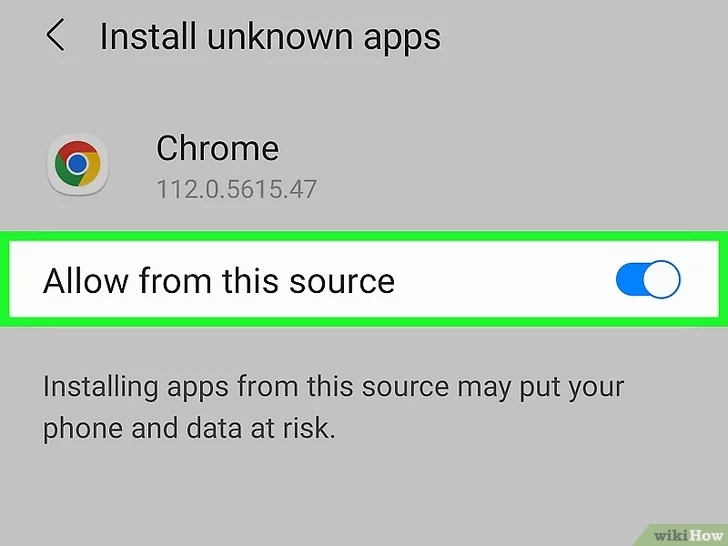
Open Settings → Security (or Privacy) → enable Install Unknown Apps for your browser or file manager. One-time step.
Tap the big Download APK button above to grab the 49 MB NetMirror.apk file. Save it to your Downloads folder.
Locate the APK in your Downloads folder, tap it, then tap Install. Takes 15-30 seconds.
Tap Open from the install screen, browse the library and start watching. No signup required on the Android build.
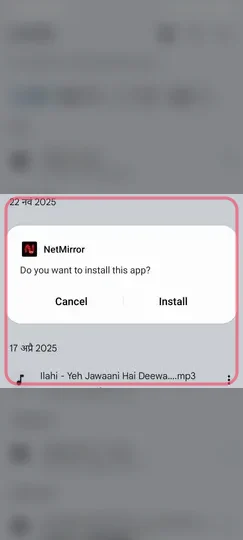
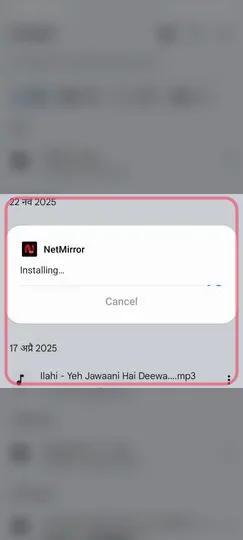
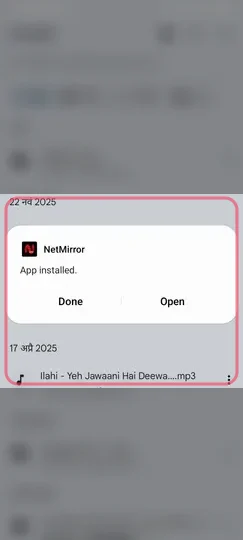
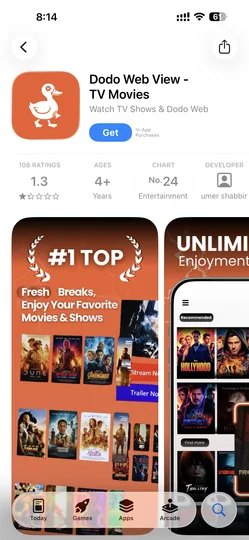
Apple's sandbox blocks direct APK installs, so iPhone and iPad users access the same library through the lightweight DODO Webview wrapper from the App Store. No jailbreak.
Open the App Store on your iPhone or iPad and install DODO Webview — a free Apple-reviewed app that opens web URLs as full-screen apps.
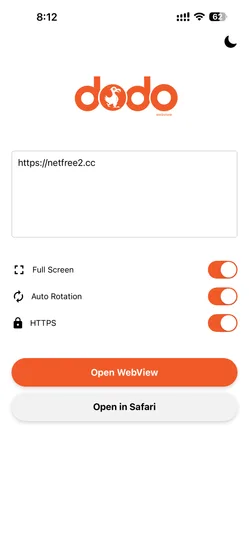
Launch DODO Webview, paste the current NetMirror URL (we publish the latest working URL on the URL tracker page).
Turn ON all three settings inside DODO Webview (cookies, full-screen, JS), then tap Open Webview to load the streaming app.
Tap Share → Add to Home Screen — the NetMirror icon now lives on your home screen and opens like a native app.
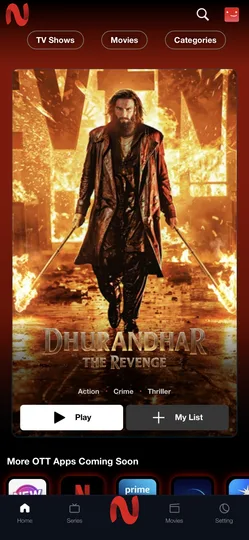
No APK, no installer, no emulator. The entire library runs in any modern browser — Chrome, Firefox, Edge or Safari. Up to 4K UHD on capable monitors.
Open Chrome, Firefox, Edge or Safari. Visit the current NetMirror URL — we always publish the working URL on the homepage and the URL tracker page.
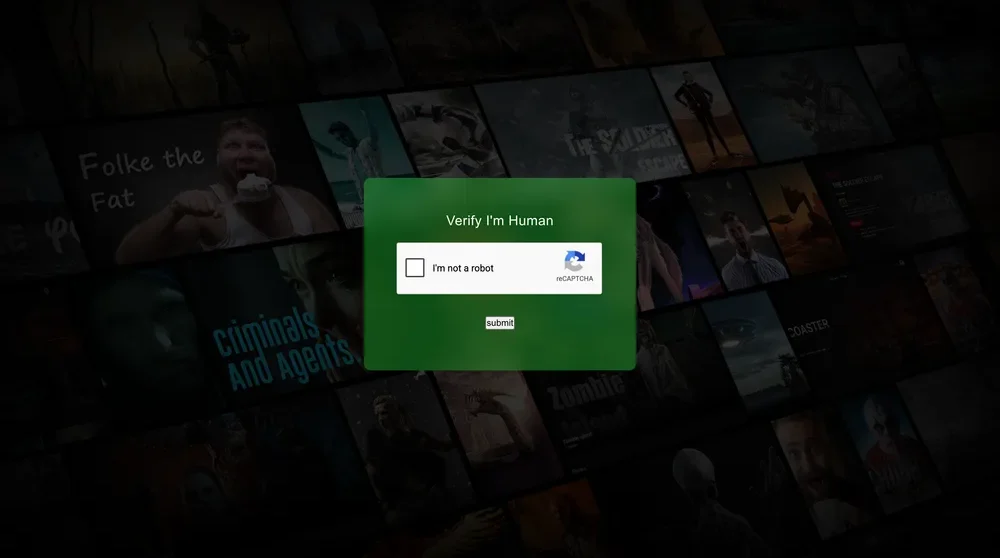
Click "I am not a robot" once. This filters bot traffic and never asks again on the same browser.
Sign in with email or Google — no card, no phone number. Web version syncs your watch progress server-side so you can resume on any device.
Home, Movies and TV Series tabs across the top. Pick any title, hit Play, switch quality up to 4K UHD. Picture-in-Picture supported in Chrome & Edge.
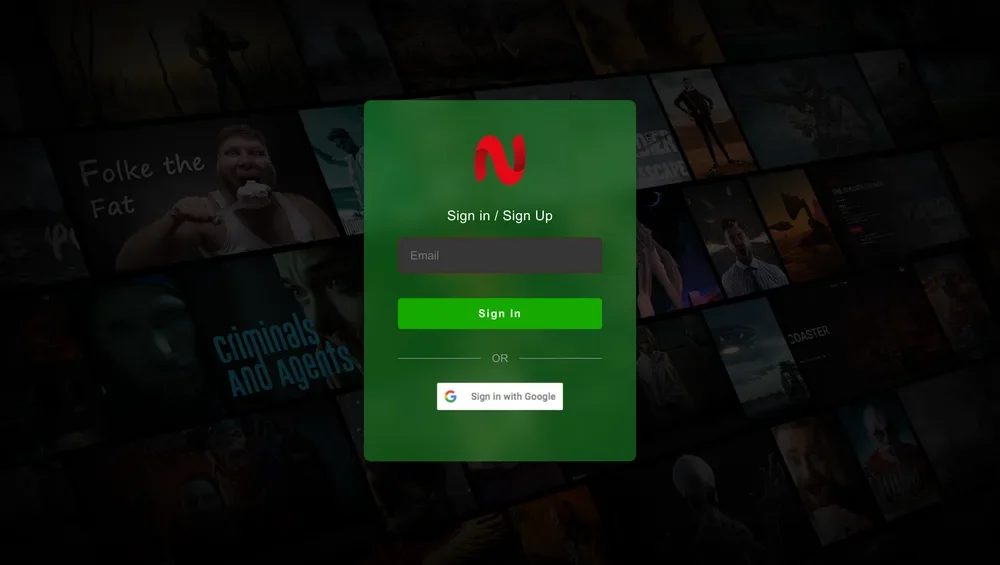
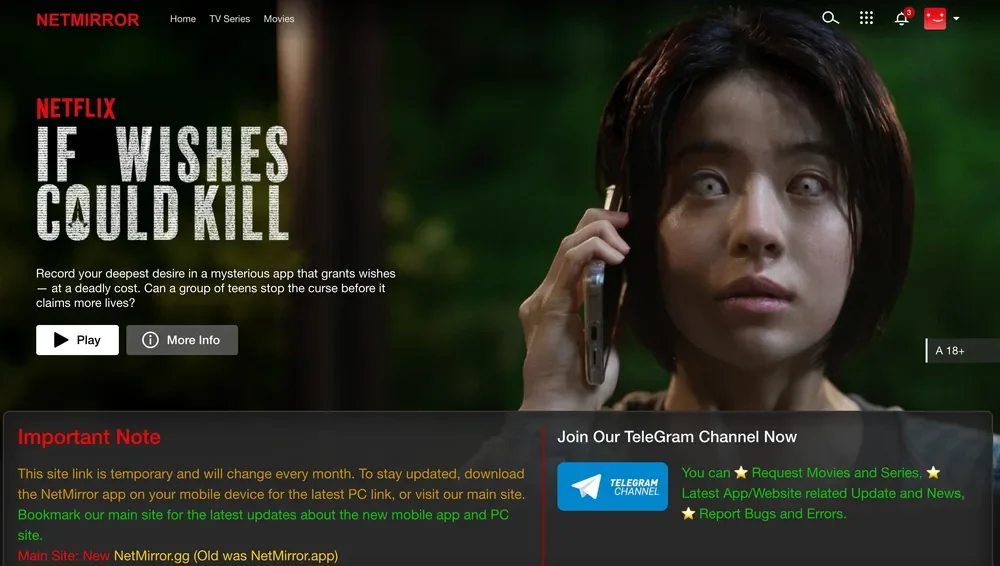
Direct APK install on any Android-based Smart TV (Sony, Samsung, LG, Mi, OnePlus) or Amazon Firestick. Remote-friendly UI, voice search, 4K HDR support.
On Android TV: Settings → Device Preferences → Security & Restrictions → Unknown Sources → enable your browser. On Firestick: Settings → My Fire TV → Developer Options → ADB & Apps from Unknown Sources.
From the Google Play Store (Android TV) or Amazon Appstore (Firestick), install the free Downloader app. It's the easiest way to sideload an APK on a TV remote.
Open Downloader, type the short URL for the TV APK (we publish it on the install page). Press Go — the 49 MB file downloads in seconds.
Downloader auto-prompts to install. Tap Install, then Open. The TV build has remote-optimised navigation, Google Assistant voice search and 4K HDR playback.
Real screenshots from the live v6.1 build. Six glimpses of the actual app — Netflix-style browse, movie detail page, audio language switcher, quality picker, and cast-to-TV menu.
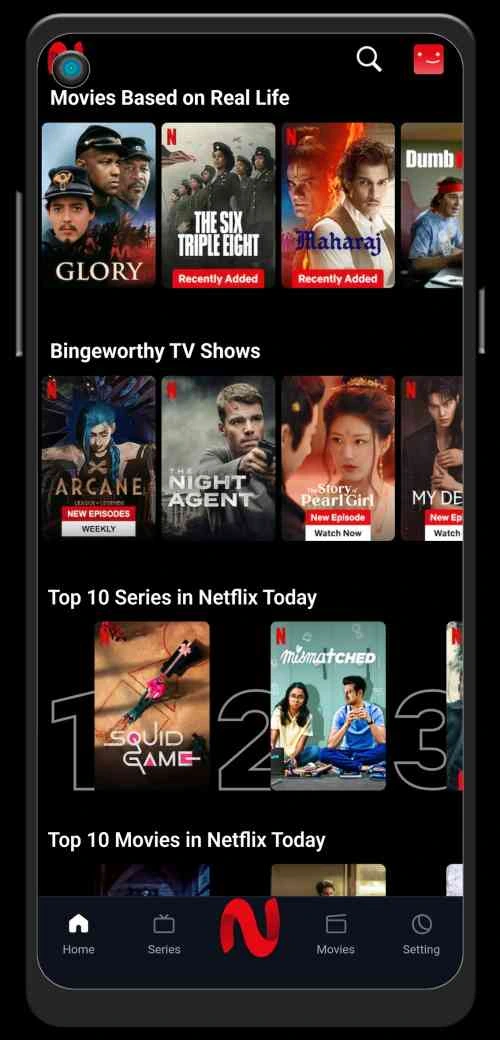
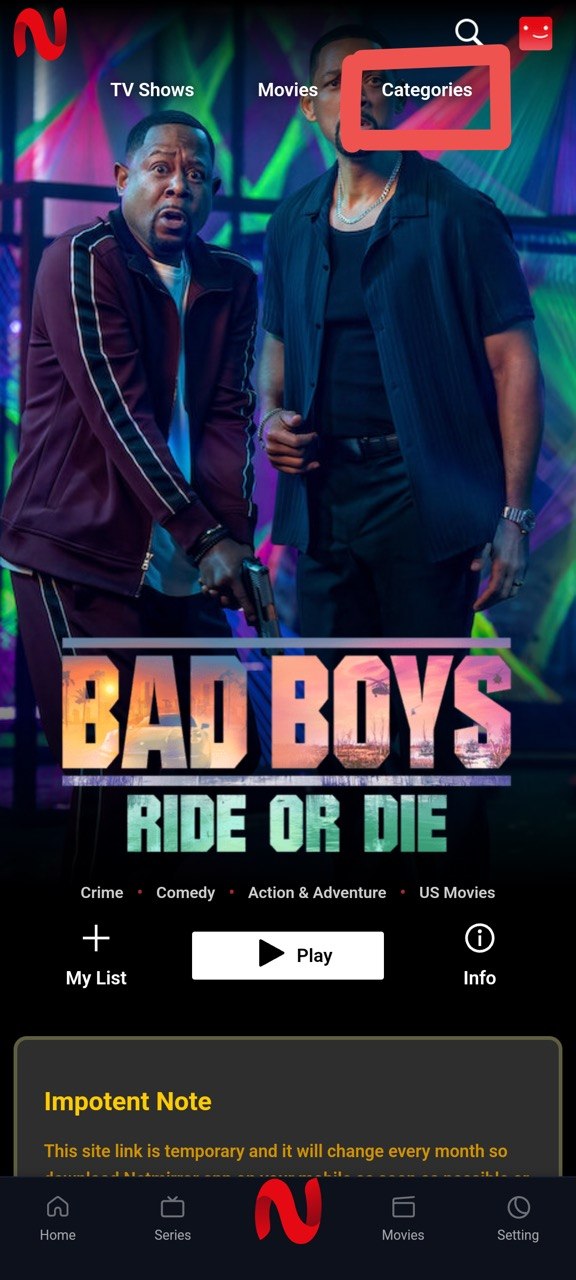
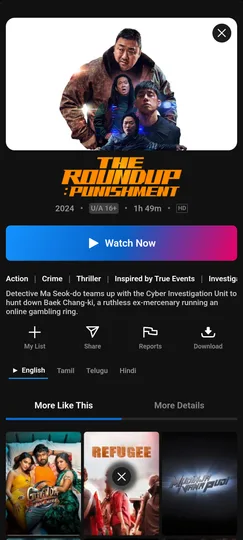
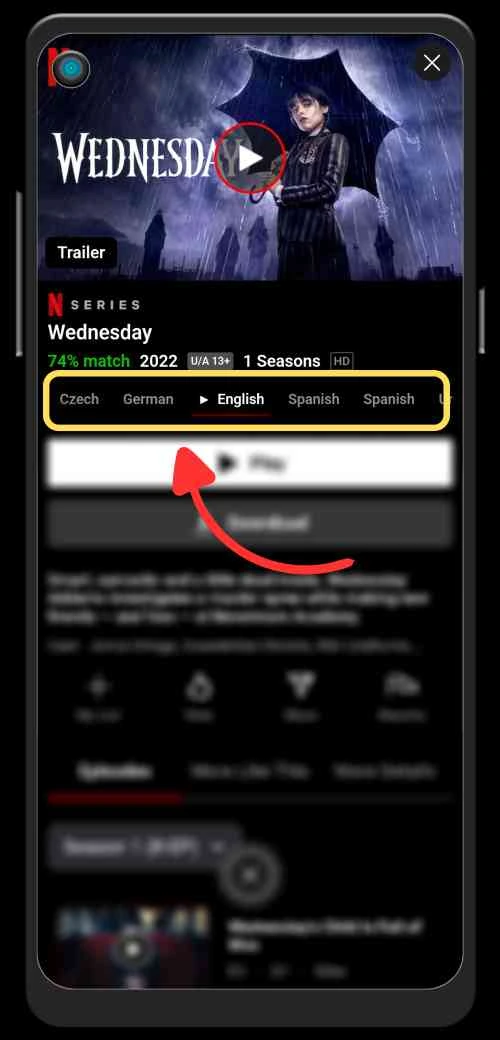
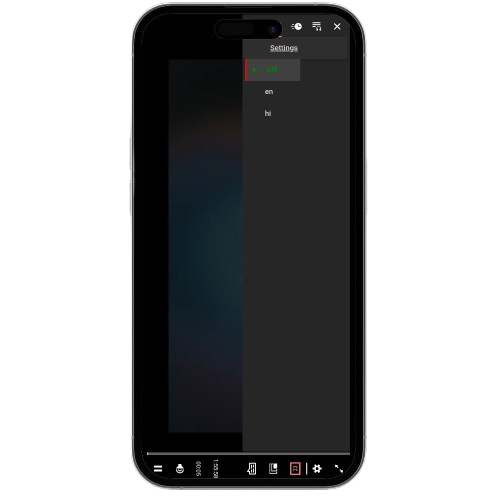
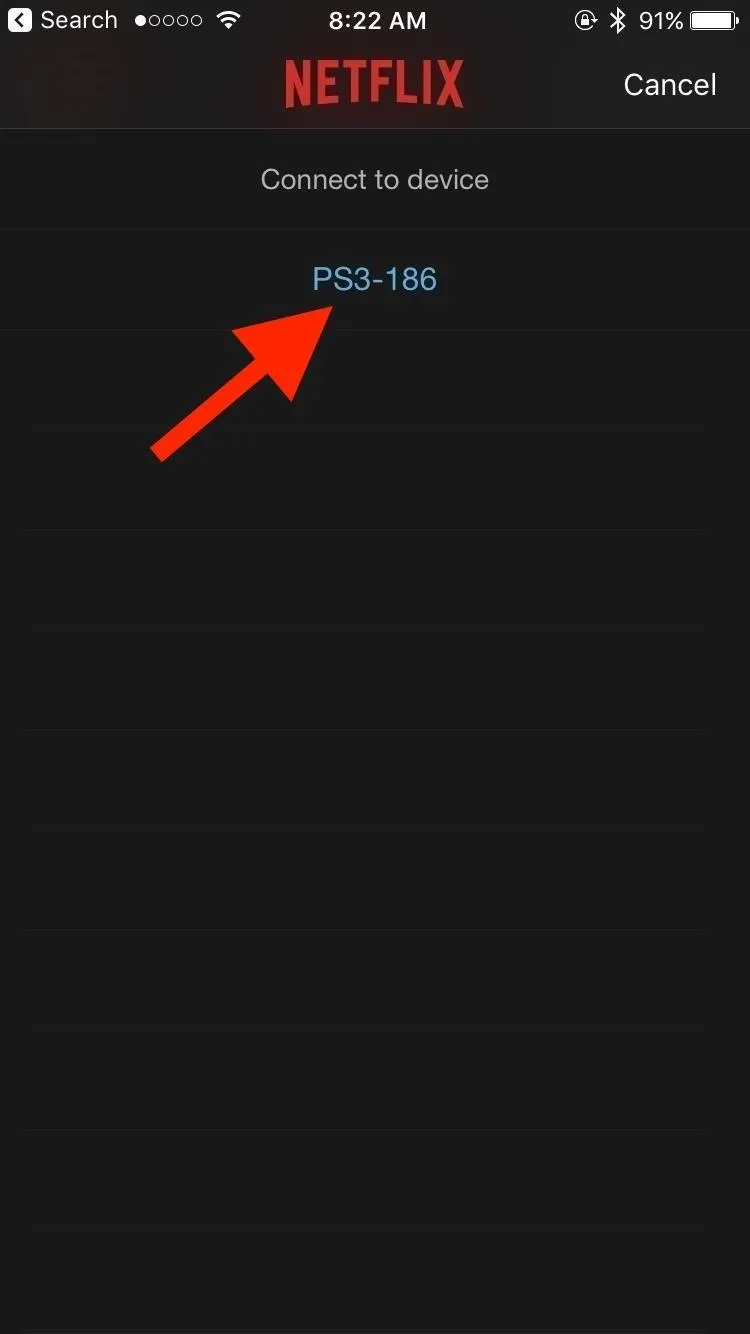
Want to try it yourself? Download the v6.1 APK or open the web app on PC/Mac in your browser.
An honest side-by-side, feature by feature. NetMirror doesn\'t do everything that paid services do — and the comparison shows where each wins. List prices below are 2026 Standard-tier subscriptions in the US/India markets for reference.
| Feature | NetMirror | Netflix | Prime Video | Disney+ Hotstar |
|---|---|---|---|---|
| Monthly cost | FREE | $15.49 | $8.99 | $3.99 |
| Library size | 500K+ | ~15K | ~12K | ~10K |
| OTT platforms aggregated | 50+ | 1 | 1 | 1 |
| Multi-language audio (same title) | Yes | Limited | Limited | Limited |
| 4K UHD streaming | Free | Premium | Premium | Premium |
| Ad frequency | 1 per day | Premium ad-free | Limited | Heavy |
| Offline downloads | Yes | Yes | Yes | Yes |
| No signup required (app) | Yes | No | No | No |
| Live sport (e.g. IPL) | No | No | No | Yes |
| Annual cost | $0 | $185 | $108 | $48 |
| Where each one wins | Cost · catalog breadth | Originals · same-day release | Originals · day-after release | Live sport · live IPL & cricket |
No streaming app is perfect. Here\'s the honest, feature-by-feature balance — eight things NetMirror genuinely does better than paid services, and six places it trades off. Every point is something you\'ll notice in normal daily use.
No monthly bill, no card on file, no surprise auto-renewal. The same content stays free even as Netflix and Hotstar raise their prices.
Aggregated from 50+ OTT platforms — Netflix, Prime, Disney+, Hotstar, HBO Max, Apple TV+. Unified search and watchlist across every source.
Switch English, Hindi, Tamil and Telugu on the same title — even on Hollywood blockbusters. Rare even on paid Netflix India.
HDR10 and Dolby Vision supported on capable phones and TVs. Adjustable quality presets per stream.
Android phone, Android TV, Firestick, Sony Bravia, Mi TV, iPhone (DODO), Mac, Windows PC. Watch progress syncs.
Android, TV and Firestick builds need no email, no phone, no card. Open and watch. Web version asks for email only.
Save full seasons in 1080p (or 4K on supported titles) for flights, train rides and low-data days.
Every release scanned across 70+ AV engines. Mainstream antivirus (Defender, Bitdefender, Kaspersky) flag nothing.
Android needs a one-time sideload. iPhone uses the DODO Webview wrapper from the App Store. Mac/Windows use the browser.
ISP-level blocks force the streaming domain to change. We publish the current URL on the homepage — bookmark our site, not the URL.
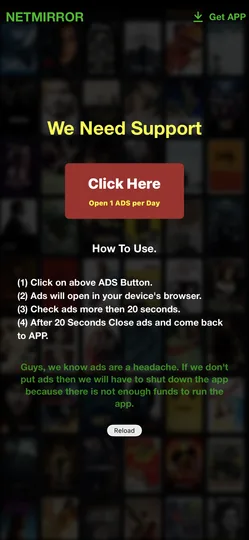
A single 20-second "support us" ad on first daily launch funds the free service. No banner ads, no mid-roll interruptions.
Many titles labelled 4K are actually upscaled 1080p. Genuine 4K HDR + Dolby Vision is rarer than on paid Netflix.
JioCinema actively blocks mirror traffic for live cricket. Keep JioCinema active during IPL season if you need live.
NetMirror aggregates publicly available streams — not officially licensed. Whether using it is legal depends on your country's copyright law.
If you\'re paying $40-80 a month across Netflix, Prime, Hotstar and one or two regional OTTs — and especially if you watch in multiple languages — NetMirror replaces the entire stack with one free app that\'s honest about what it can and can\'t do. The trade-offs are real but predictable. The wins are the kind you notice every single time you open the app.
Every NetMirror APK release is scanned across 70+ antivirus engines via VirusTotal. The SHA-256 hash and full scan report are published with every version so you can verify the file yourself before installing.
Every APK build ships with its SHA-256 hash on the download page. Verify the file matches before installing — same trust model paid app stores use.
Site is HTTPS-only, HSTS preloaded, all download links served over TLS 1.3. Cloudflare DDoS protection on the edge.
Zero third-party analytics, zero ad-network pixels, zero behavioural targeting. Watch history stays on your device.
Found a vulnerability? Email security@ — we respond within 48 hours and credit responsible disclosure in the changelog.
Two engines (AhnLab and McAfee) classify the APK as PUP — Potentially Unwanted Program, not malware. The flag is triggered by the bundled ad SDK that funds the free service. No malware, no spyware, no data harvesting. Mainstream AV — Microsoft Defender, Bitdefender, Kaspersky, Avast, Avira, Sophos — don't flag it at all.
We don\'t publish "★★★★★ Best app ever!" reviews because nobody writes those — they\'re scraped from somewhere and rebranded. Instead, here are eight actual messages from our feedback form and Telegram channel. Specific shows, specific phones, specific gripes. Lightly edited for clarity.
Used the app for 2 months on a OnePlus 11. The Tamil dub on the Marvel films is the killer feature — my dad doesn't follow English so we couldn't watch Endgame together for years. Worked first try on NetMirror. Catalog has been complete every time I searched.
Bigg Boss S18 streaming late on Hotstar mirror tonight — anyone else seeing 4-6 hour delay? Update: fixed itself after restart. Posting in case someone else hits the same thing.
Set this up for my parents on their bedroom Bravia. They wanted Tamil serials catch-up + Sony WWE replays in one place. Five-minute install via Downloader. They've been using it daily without calling me, which means everything's working.
DODO Webview setup took longer than I expected (15 min including App Store install + figuring out where to paste the URL). Once running it's smooth. Auto-rotate toggle was the missing piece — wish that was Step 1 in the guide.
K-drama catalog on the web version is wider than what I had access to on Netflix UK. Watched all of Goblin in two weekends with proper subs. URL changed once during my use — found the new one in 3 minutes via the homepage URL tracker. Not a dealbreaker.
Got the TV APK running on my parents' Firestick (the one I gifted them last Diwali). Voice search via Alexa works — they say "Mahabharata" and it pulls up the Star Plus mirror. Has saved us from a Hotstar subscription this year.
Q: Does NetMirror have Demon Slayer dubbed in Hindi? A: (from admin) Yes — Crunchyroll mirror has all seasons with Hindi/English/Tamil dubs. Search for "Demon Slayer" and you'll see all 4 seasons + the movies.
Honest feedback: Dolby Vision is hit-and-miss. Dune Part Two looked stunning, House of the Dragon looked like upscaled 1080p. Most things are fine but the "4K" label isn't always genuine 4K. Worth noting in the guide.
We post URL update alerts the moment they change, answer questions within a few hours, and aggregate bug reports for the dev team. Nobody is paid to be there, and nobody is reviewed five stars.
Join Telegram · @netflix_mirror_apkTwelve answers to everything users ask before installing — covering safety, signup, devices, the URL rotation and the legal positioning. Tap any question to expand.
Send it through the contact form — we reply within 48 hours.
Fourteen months of daily testing. Thirteen sections walking through every feature, every flaw and every install path. The honest answer: download it and decide for yourself. It\'s 49 MB, free forever, and there\'s nothing to lose if it isn\'t for you.
The 49 MB APK starts downloading to your phone's Downloads folder.
Allow Unknown Sources once, tap Install, wait 20 seconds. Done.
No signup. Open, pick a title from the home feed, hit Play.
And forgotten what paying for Netflix and Hotstar felt like.
v6.1 · 49 MB · Android 5.0+ · scanned May 2026
“If it works for you — keep it. If it doesn\'t — uninstall in 5 seconds. That\'s the whole pitch.”
— from the 14-month review at the top of this page
NetMirror is an independent informational platform for the NetMirror app. We are not the official developers and are not affiliated with, endorsed by, or sponsored by Netflix Inc., Amazon, Disney, Sony, Zee, or any other streaming platform or trademark holder mentioned on this site. All trademarks, logos and brand names are the property of their respective owners. Content streamed through the app is hosted by third parties; we do not host, upload or distribute any video files. Users are responsible for complying with copyright laws in their own jurisdiction. See the full disclaimer, terms and DMCA policy.